Read this first
Executive summary
3 operating principles- 01
Choose a research tool by task, such as current web research, literature discovery or calculations.
- 02
Compare documented features and source transparency rather than treating this shortlist as a performance ranking.
- 03
Check current product, account and data terms, and verify material claims against original sources.
Article tools
Read, review or take this article into your preferred AI assistant.Summarize with AI
Copies a prompt with this article’s canonical URL. Review the result and verify its sources.Clipboard unavailable · copy prompt manually
Choose by Research Task, Not a Universal Ranking
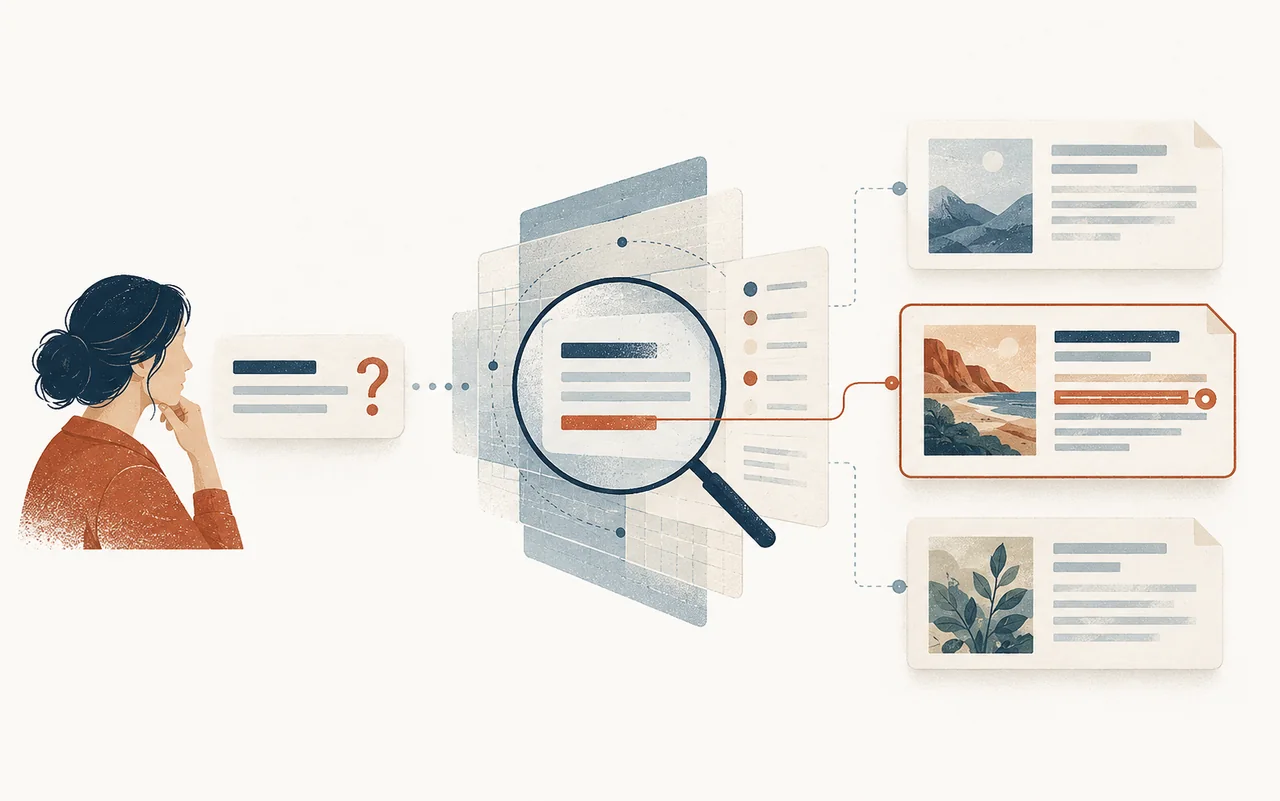
An alternative to Perplexity may mean a general web-search assistant, an academic-paper discovery tool or a computation engine. This is a use-case comparison based on vendor documentation, not a hands-on benchmark of accuracy, coverage, privacy or price. Product features, account controls, regional availability and plan limits can change. Check the exact mode and terms you plan to use.
For how to inspect sources in AI answers, see our ChatGPT citation guide and LEO planning model. A displayed citation is a lead to verify, not a guarantee that the answer is accurate.
1. Gemini with Google Search grounding
Google documents Search grounding for supported Gemini API models. When the google_search tool is enabled and a response is grounded, the API can return citation annotations. This documentation describes the API workflow; do not assume the Gemini app, every model or every account has identical behavior.
- Use this documented API mode when a workflow needs Google Search grounding.
- Inspect returned citation annotations and open the cited pages.
- Check supported models, account setup and current terms before implementation.
Grounding may help locate current sources, but it does not prove every generated statement is supported. Verify each material claim against its source.
2. Microsoft Copilot web search
Microsoft documents web search for Copilot Chat and agents. Its availability and controls vary by account, license and organization settings. When web search is used, Microsoft describes a Sources view that shows the query sent to Bing and the sources returned.
- Confirm web search is available and enabled for the account and organization.
- Use the Sources view, where available, and inspect sources claim by claim.
- Check separately which work data or connected sources the selected mode can use.
This can suit teams already using Microsoft products, but do not assume all Copilot experiences search the web or access the same work data. Check current product and admin documentation.
3. You.com Research
You.com documents a Research API that returns responses with source references. That is a specific API product and does not establish the features, privacy terms or source behavior of every You.com interface. Review the API documentation and data terms for the deployment you have in mind.
Use it as a candidate when an application needs a cited research response in a documented format. Test source quality on your subject and verify claims directly. A source list alone is not an independent quality assessment.
4. Consensus for scientific literature
Consensus describes a search and synthesis workflow focused on scientific papers. It may help locate relevant studies and compare findings, but it is not a substitute for reading the papers, evaluating methods or checking whether a study answers the question at hand. Its own product documentation describes its coverage and ranking workflow; those statements are vendor descriptions, not independent comparative evidence.
Choose a literature-focused tool when scholarly papers are the evidence required. Check study design, population, limitations, publication status and cited sources before using a conclusion.
5. Elicit for literature review tasks
Elicit describes tools for searching and organizing research papers. This may fit an early literature review or evidence-gathering workflow. Verify current coverage, full-text access, plan limits and extraction features for your account. Review extracted details against the papers; a synthesized table is not itself a systematic review.
6. Semantic Scholar for paper discovery
Semantic Scholar provides academic-paper search and citation-discovery features. It can help find related papers and follow citation relationships. A citation relationship or AI-generated summary does not establish that a paper is methodologically strong or that its claims are correct; inspect the source paper.
7. Wolfram|Alpha for computations
Wolfram|Alpha describes itself as a computational knowledge engine that computes from its knowledge base rather than searching the web for links. It can be useful for defined calculations and structured questions. The provider also notes that errors can occur. Check inputs, units, assumptions, data dates and any listed sources before relying on a result; do not describe it as guaranteeing accuracy or providing full derivations for every answer.
Match the tool to the evidence needed
| Task | Tools to consider | What to verify |
|---|---|---|
| Current web research | A documented search mode in Gemini, Copilot, You.com or Perplexity | Exact mode, source links, account controls and whether sources support each claim |
| Academic literature discovery | Consensus, Elicit or Semantic Scholar | Search coverage, source papers, methods, access and publication status |
| A defined calculation | Wolfram | Alpha or a reproducible calculation workflow |
This table is a starting point for evaluation, not a ranking. Do not select by an unsupported claim that one tool is more accurate, more private or more comprehensive. For sensitive information, review the exact product’s current data controls and terms before entering it.
FAQ
What is better than Perplexity?
There is no universal answer. Choose by task, available product mode, data requirements and the sources you need to verify. Test representative questions rather than relying on a general ranking.
Is Perplexity better than ChatGPT for research?
The answer depends on the product mode and research task. Compare the exact features you plan to use, check whether sources are shown, and verify the answer against original evidence. Do not treat a small test as a general performance ranking.
Which AI research tool is most accurate?
This article does not establish a most-accurate tool. Accuracy depends on the question, source set, product mode and evaluation method. For consequential claims, verify against suitable primary evidence.
Which alternatives are free?
Plans and limits change. Check each provider’s current pricing and access terms for your region and account before choosing a tool.
Evidence layer
References and further reading
Primary documentation used to review the technical concepts in this guide.- Google AI for DevelopersGrounding with Google Search
Official documentation for Google Search grounding in the Gemini API; app features and availability can differ. Accessed 25 October 2026.
- Microsoft SupportHow web search works in Microsoft Copilot Chat and agents
Current overview of Copilot web search and source visibility; features vary by account and mode. Accessed 25 October 2026.
- You.comYou.com Research API
Vendor documentation for its Research API, not an independent comparative evaluation or a description of every You.com interface. Accessed 25 October 2026.
- PerplexitySearch API guide
Documentation for the Search API; it does not establish the behavior of every Perplexity product mode. Accessed 25 October 2026.
- ElicitElicit Paper Search
Vendor description of its academic paper search workflow; features and plan access can change. Accessed 25 October 2026.
- ConsensusHow does Consensus work?
Vendor explanation of its research search workflow, not an independent comparative evaluation. Accessed 25 October 2026.
- Semantic Scholar / Ai2Semantic Scholar product overview
Vendor description of scientific-literature search and citation discovery tools. Accessed 25 October 2026.
- Wolfram|AlphaWolfram|Alpha FAQs
Vendor’s explanation of its computational knowledge engine. Accessed 25 October 2026.