Read this first
Executive summary
3 operating principles- 01
Map pages by reader need and role before adding links.
- 02
Link where the destination provides a useful next step and use descriptive, natural anchors.
- 03
Check rendered routes and incoming links after publishing; links help discovery but do not guarantee indexing or rankings.
Article tools
Read, review or take this article into your preferred AI assistant.Summarize with AI
Copies a prompt with this article’s canonical URL. Review the result and verify its sources.Clipboard unavailable · copy prompt manually
Internal links help people move between related answers and give crawlers paths to discover pages. Good architecture begins with the reader’s next question, not a target number of links or a formula for repeating keywords. A business can usually improve its site by making important journeys clearer and ensuring new pages connect to the right existing material.
This guide provides a practical way to plan and review those connections. It complements our topical map guide, which helps assign roles to pages before you decide how they should link.
Start with a page inventory
List the pages that support your main services, products, customer tasks and important questions. For each page, record its audience, purpose, main action, current status and closest parent or hub. Include only pages that should remain available to readers; thin or obsolete pages may need consolidation before more links are added.
A simple map can be a spreadsheet with these columns:
| Page | Reader need | Page role | Useful next step | Current incoming links |
|---|---|---|---|---|
| Service page | Understand scope and enquire | Commercial | Compare a related service or request a conversation | Hub, relevant guides |
| Guide | Complete a task or learn a concept | Informational | Read the next related guide or view relevant service | Hub, related guides |
| Product detail | Evaluate a defined offer | Transactional | Contact or proceed through the existing route | Service page, related product |
This inventory is a working document, not a scoring system. A page with few incoming links is not automatically a problem if it is intentionally separate or no longer useful.
Give links a reason to exist
For every proposed link, state what the reader gains by following it. A guide about citations might point to a guide about evaluating sources. A service page might link to a relevant readiness checklist. The link should fit the sentence and the destination should fulfill its promise.
Use anchor text that describes the destination naturally. “Read our campaign preparation checklist” is clearer than “click here,” while repeating the same commercial keyword in every link is unnecessary. The page title itself can be a useful anchor when it reads naturally in context.
Build paths between hubs and specific answers
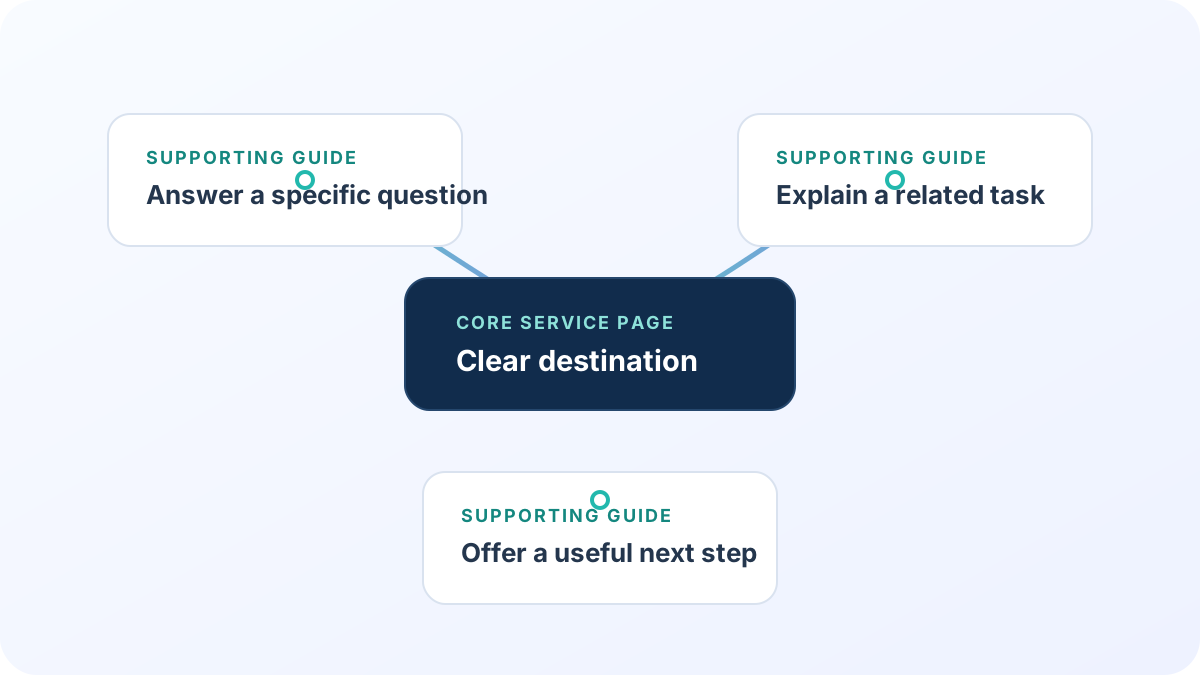
A common pattern is a hub that links to focused guides and service pages, while those pages link back to the hub or to a closely related next step. The exact structure depends on how users browse; it does not need to match a rigid pyramid.
For a small service cluster, a visitor might move from an AI visibility service to how to assess AI search visibility, then to the internal link architecture guide if they want to improve site navigation. A business comparing outreach can read how to choose a link-building strategy and then review what to prepare for a campaign.
Do not add links between unrelated pages just to connect the entire site. A coherent, useful path matters more than universal cross-linking.
Find missing and weak paths
Review the live rendered pages, not just a map or CMS relationship field. Check that:
- Important pages have at least one relevant incoming internal link.
- Links point to the canonical destination and return a successful page.
- Anchor text makes sense out of context and in its sentence.
- Key journeys do not require returning to the home page at every step.
- Related pages use consistent terms for the same service or entity.
- Navigational elements remain usable on small screens and with a keyboard.
An orphan page has no incoming internal links from the site. It can still be reachable from a sitemap or external source, but visitors may have no natural route to it. Decide whether to add a contextual link, redirect it, merge it or leave it intentionally unlinked.
Review after publishing
After a page launches, add it to the relevant hub or guide and check the rendered links. Search Console can later show whether Google discovered a URL or which queries received impressions, but it does not prove that internal links caused a particular ranking change. Keep crawl discovery, rankings and conversions as separate measures.
Internal linking also supports readers who compare vendors. Our guide to choosing a link-building strategy explains how to evaluate external placements; internal links are a separate navigation tool under your own editorial control.
Discuss your next step
If you want help prioritizing improvements, explore on-page SEO services or contact Exendia to discuss your site structure.
FAQ
How many internal links should a page have?
There is no universal target. Add the links that help a reader understand the topic or take a sensible next step, and remove links that add clutter or point to weak destinations.
Should every article link to a service page?
Only when the service is a relevant next step for the reader. Forced commercial links can weaken trust and distract from the answer.
Are internal links the same as backlinks?
No. Internal links connect pages on the same site. Backlinks come from other sites and have different editorial, discovery and risk considerations.
Can internal links guarantee indexing or higher rankings?
No. Internal links create crawl paths and help users navigate, but they do not guarantee indexing or a particular ranking. Search outcomes depend on many factors.
Evidence layer
References and further reading
Primary documentation used to review the technical concepts in this guide.- Google Search CentralMake your links crawlable
Google’s guidance on crawlable links and descriptive anchor text.