Read this first
Executive summary
3 operating principles- 01
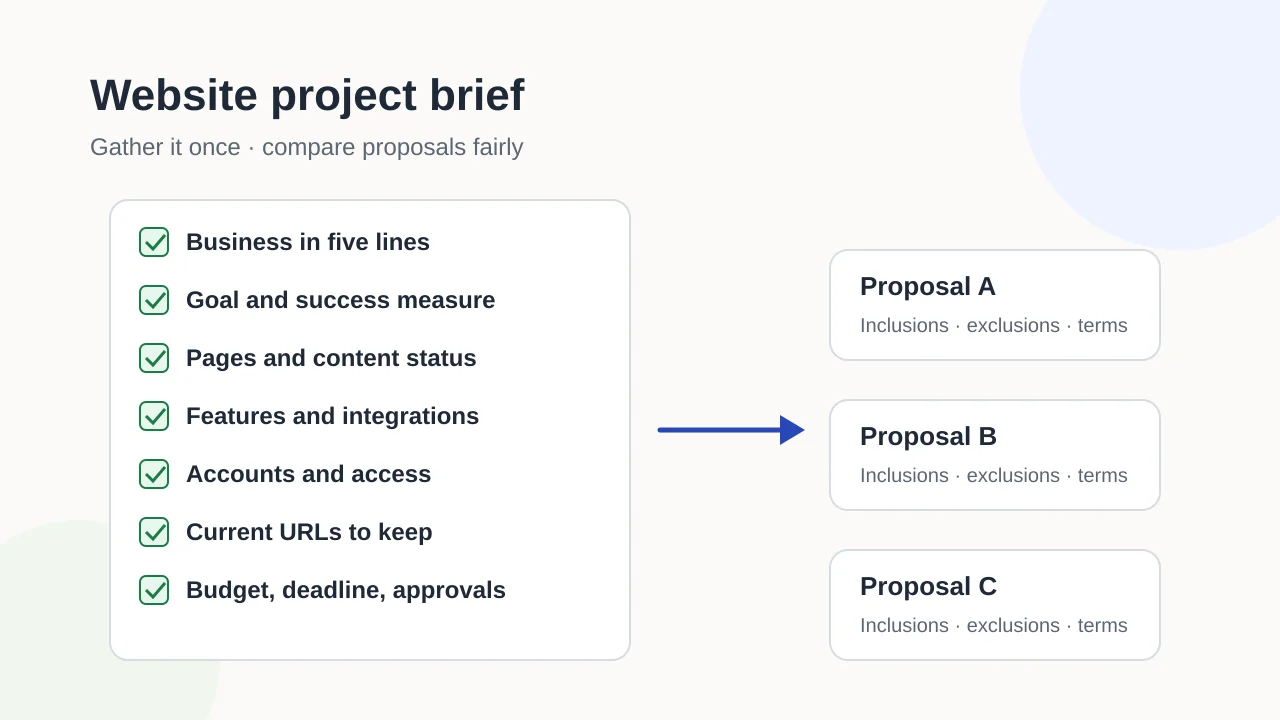
Write the brief before you contact builders so every proposal answers the same questions.
- 02
Record who holds each account and which current URLs matter; both are easy to lose and slow to recover.
- 03
Ask every builder to state inclusions, exclusions, ownership and terms in writing, then compare like with like.
Article tools
Read, review or take this article into your preferred AI assistant.Summarize with AI
Copies a prompt with this article’s canonical URL. Review the result and verify its sources.Clipboard unavailable · copy prompt manually
A website project brief is the document you hand to agencies, freelancers or platforms before they quote. Without one, each builder asks different questions, assumes different things and sends a proposal you cannot compare with the others. With one, you can see who is offering what, and what is missing.
This page explains what to gather and why. The complete template at the end is ready to copy into a document.
Why a written brief gets you better proposals
A brief does three jobs:
- It sets the scope. Builders price what they can see. If the brief lists twelve pages and a booking system, nobody can quietly quote for five pages and a contact form.
- It surfaces risks early. Missing logins, unwritten content and old URLs that still bring visitors are cheaper to deal with before the project starts.
- It makes proposals comparable. When every builder answers the same questions, differences in price usually reflect differences in scope or approach, and you can see which.
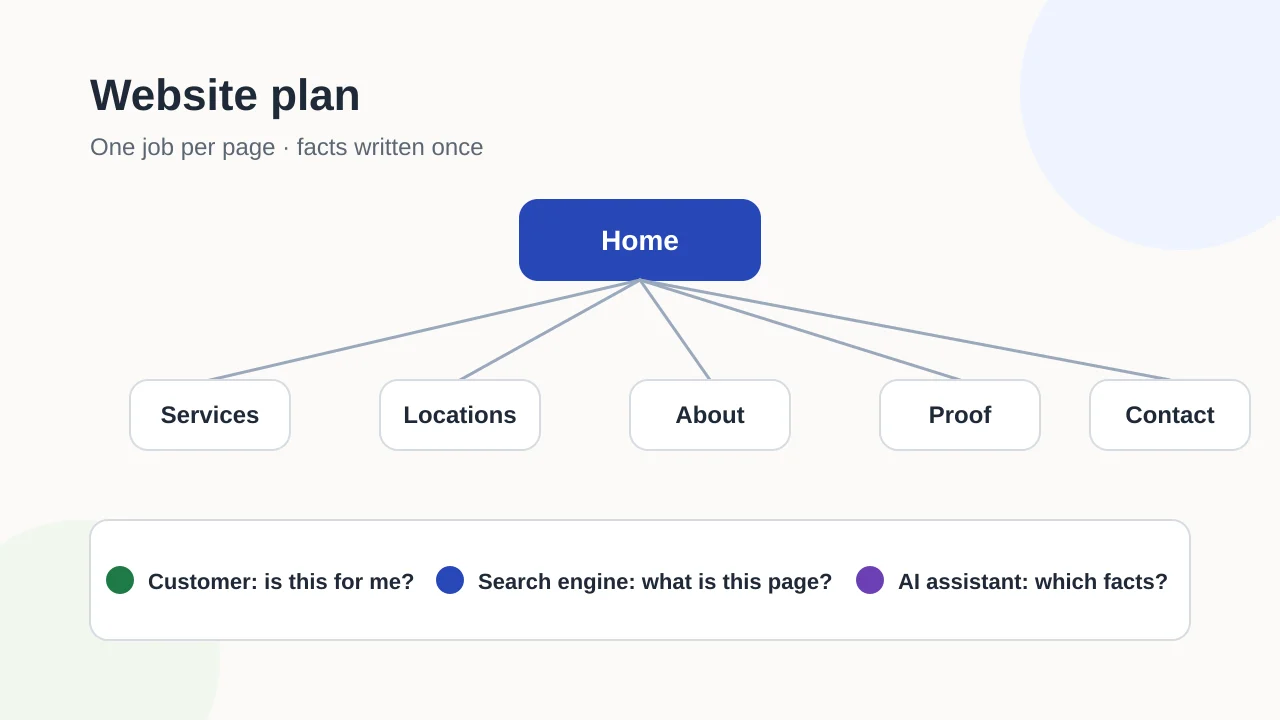
If you have not yet decided what the site is for and which pages it needs, start by planning your website first. The brief packages that plan for someone else.
Your business in five lines
Write five short lines a stranger could understand:
- What you sell.
- Who buys it.
- Where you serve customers: at your premises, at theirs or online.
- Which languages the site needs.
- What makes customers choose you over the alternatives.
Keep it factual. “Family-run electricians serving the north side of the city since 2009” helps a builder more than “passionate about excellence”.
Goal and how you will know it worked
State the site’s primary job, for example inquiries, bookings or sales, and the measure you will use: form submissions, booked appointments or calls from the website number. One primary goal is enough. If you list five goals of equal weight, builders cannot tell which one wins when choices conflict.
Pages and content: what exists and what is missing
List the pages you plan, and for each one mark whether the content exists today, needs rewriting or does not exist yet. Be honest about the gaps. Writing content is often the slowest part of a website project, and many delays start with copy that nobody owns.
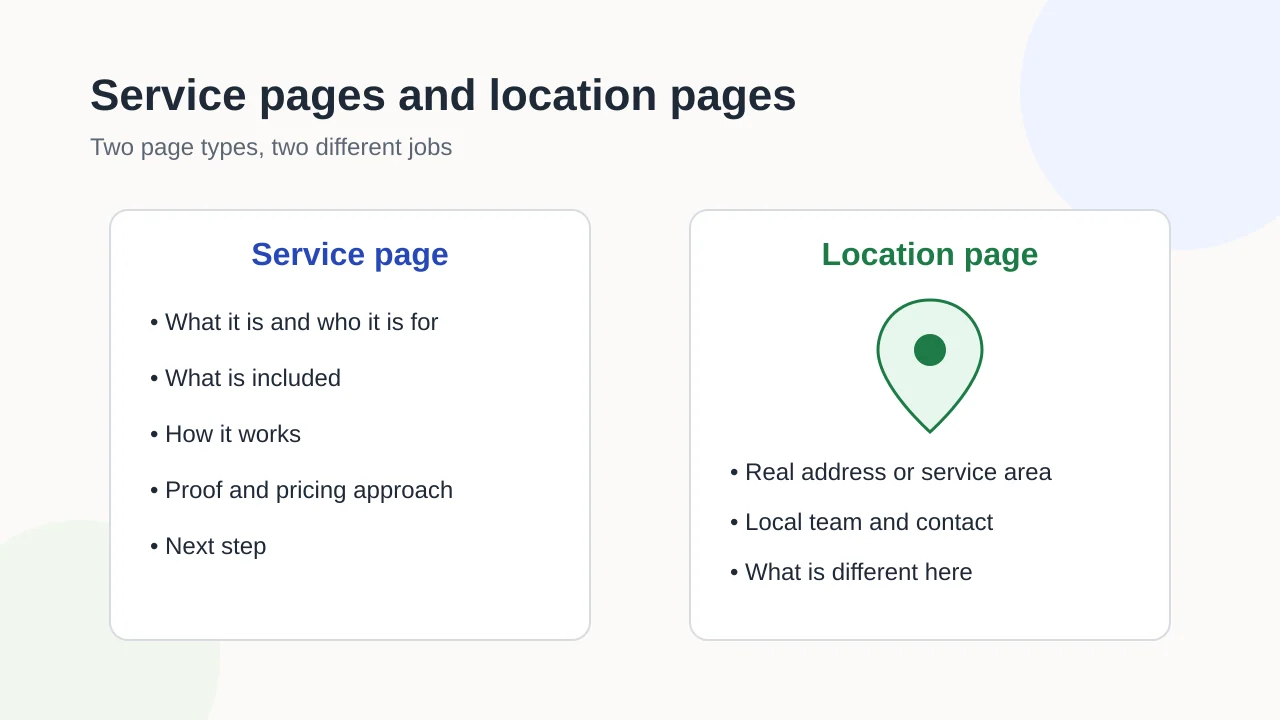
For businesses with several services or locations, the guide to service and location pages helps decide which pages are worth building.
Also note the material you already have: price lists, brochures, product photos, FAQs, testimonials you have permission to use and logos in their original files.
Features and integrations
List what the site must do beyond showing pages, and which tool you use today if any:
- contact or quote forms, and where submissions should go;
- booking or scheduling;
- online payments or a shop;
- a newsletter signup;
- a CRM connection;
- live chat;
- multiple languages;
- a members’ area or customer login.
Mark each one as required or nice to have. This single column often explains the biggest price differences between proposals.
Accounts and access: who owns what
This is the section most briefs skip, and the one that causes the most launch delays. For each account below, record who holds the login today and whether it is in the business’s name:
| Account | Who holds the login | In the business’s name? | Notes |
|---|---|---|---|
| Domain registrar | Renewal date | ||
| DNS provider, if different | |||
| Current hosting | Contract end date | ||
| Email for your domain | Must keep working during the switch | ||
| Current website platform or CMS | |||
| Analytics | |||
| Google Search Console | Property owners and users | ||
| Business Profile | Owners and managers | ||
| Social media accounts |
A builder can do much less when the business cannot access its own accounts. Google’s help pages describe owner and user roles in Search Console, and owner and manager roles for Business Profiles. Aim for the business itself to remain an owner, and give builders the access they need rather than handing over ownership.
Your current site’s URLs
If you are replacing a site, list the pages that matter today: the pages people visit most, pages other websites link to, and pages that bring in inquiries. Add the URL of each one.
Why now? When a site moves to new addresses, old links break unless someone maps each old URL to its new equivalent. Google’s documentation on site moves explains how redirects carry visitors and search engines from old addresses to new ones. That work happens at launch, but it is only possible if the list exists. The launch checklist covers the redirect step itself, and the guide to Search Console evidence helps you find which pages Google currently knows about.
Brand inputs and examples
Gather:
- your logo in its original format;
- brand colors and fonts, if you have them;
- photography you own or have licensed;
- two or three websites you like, with a sentence on why;
- one or two you dislike, also with a reason.
”I like how this site shows prices upfront” is useful. “I like this site” is not.
Budget, deadline and approvals
State three things plainly:
- Budget model and range. Say whether you prefer a one-off project or an ongoing monthly arrangement, and the range you can commit. Builders can tailor a proposal to a range; they can only guess without one.
- Deadline and the reason for it. A trade show or a lease ending is a real constraint; “as soon as possible” is not.
- Who approves. Name the person who signs off designs and content, and how quickly they can respond. Slow approvals delay projects as often as slow builders do.
Also note legal and accessibility expectations: privacy and cookie notices required in your jurisdiction, any industry rules, and the accessibility standard you want the site to meet. The W3C’s Easy Checks are a practical starting point if you have not set a standard yet.
After launch: updates and care
Say who will update content once the site is live, and whether you expect the builder to provide hosting, updates, backups or support. Even if you have not decided, asking every builder to describe their arrangement makes the answers comparable. The guide to website care after launch lists what a care plan usually covers.
What to ask every builder to put in writing
Include this list in your brief and ask each builder to answer every point:
- Inclusions: pages, features, content writing, images, revisions.
- Exclusions: anything you might assume is included but is not.
- Assumptions: what they expect you to provide, and by when.
- Ownership: who owns the design, the code, the content and the accounts after launch.
- Hosting and care: what is included, for how long and what it costs afterwards.
- Exit terms: what happens if you move to another provider, and in what format you receive your site and content.
- Timeline: the main milestones and what each depends on.
Proposals that answer all seven are much easier to compare than ones that answer three.
The brief template
Copy this table into a document, fill every row and send the same version to each builder.
| Section | Your answer |
|---|---|
| Business in five lines | What you sell · who buys it · where you serve them · languages · why customers choose you |
| Primary goal | One goal, such as inquiries, bookings or sales |
| Success measure | What you will count, such as form submissions or calls |
| Customer groups | Main groups and what each needs to know |
| Page list | Each page, marked exists / needs rewrite / missing |
| Content owner | Who writes and approves each page |
| Existing material | Price lists, brochures, photos, FAQs, permitted testimonials |
| Features and integrations | Each feature marked required or nice to have, plus current tools |
| Accounts and access | Registrar, DNS, hosting, email, CMS, analytics, Search Console, Business Profile, social: who holds each login |
| Current URLs to keep | Important pages on the current site, with URLs |
| Brand inputs | Logo files, colors, fonts, photography |
| Examples | Sites you like and dislike, with reasons |
| Budget model and range | One-off project or monthly arrangement · the range you can commit |
| Deadline | Date and the reason for it |
| Approvals | Who signs off, and expected response time |
| Legal and accessibility | Privacy and cookie notices, industry rules, accessibility standard |
| After launch | Who updates content · expectations for hosting, updates, backups and support |
| Questions for every builder | Inclusions · exclusions · assumptions · ownership · hosting and care · exit terms · timeline |
If Exendia is one of the builders you are contacting, you can summarize your brief in the project details field when you request a website proposal.
Evidence layer
References and further reading
Primary documentation used to review the technical concepts in this guide.- Search Console HelpVerify your site ownership
- Search Console HelpManaging owners, users, and permissions
- Google Business Profile HelpManage your Business Profile owners and managers
- Google Search CentralSite moves and migrations
- W3C Web Accessibility InitiativeEasy Checks: A first review of web accessibility